
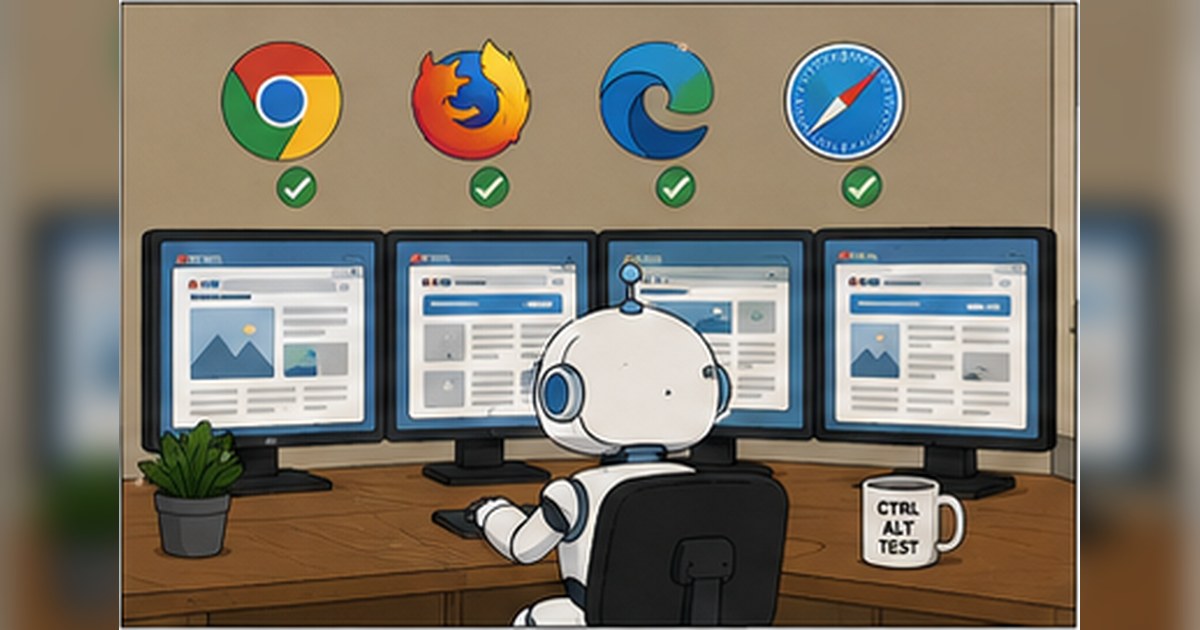
How to Build a Release Readiness Checklist for Frontend Changes When CI Is Green but Risk Is Still High
By Luca Müller · July 22, 2026
A practical release readiness checklist for frontend changes, focusing on CI signal quality, risk signals, and QA release checklist decisions that catch issues pass/fail tests miss.
When frontend CI is green, it is tempting to treat the change as ready. In practice, green results only tell you that the code satisfied the checks you asked it to satisfy. They do not prove that the release is safe for your users, your support team, or the rest of the system.
That gap is where a release readiness checklist for frontend changes becomes valuable. The checklist is not a ceremonial sign-off form. It is a compact decision tool for evaluating risk, coverage quality, and operational confidence before a deploy reaches real users.
The right checklist is not longer because the team is more cautious. It is better because it focuses on signals that correlate with release safety, not just pass or fail outcomes.
Why green CI is not enough
Continuous integration is useful because it shortens feedback loops and surfaces regressions earlier, as described in the general concept of continuous integration. But CI is only as trustworthy as the checks inside it. A frontend pipeline can be green while still missing important risks.
Common examples:
- Tests cover happy paths but ignore degraded states, empty states, and permission changes.
- Visual changes are accepted even though text truncation or layout shift will affect production browsers or locales.
- Unit tests pass, but the release depends on unstable API behavior, feature flags, or third-party scripts.
- Browser tests run in one viewport and one locale, while real users span mobile devices, accessibility settings, and slow networks.
- The suite is green, but the signal has degraded because flaky tests are being retried until they pass.
This is a signal quality problem, not only a test coverage problem. If your CI signal is noisy, then a green build is less meaningful than it appears.
A checklist should ask, “What do we know that tests do not capture?” not, “How can we add more tests?”
Define what “ready” means before defining the checklist
A release readiness checklist works only if your team agrees on the decision it supports. For frontend changes, “ready” usually means something like this:
- The change behaves correctly in the targeted browsers and viewports.
- It does not break critical user journeys.
- It can be deployed without creating a known operational incident.
- If a problem appears, the team can detect, contain, and roll back quickly.
That definition matters because different kinds of frontend work carry different risk profiles.
Examples:
- A copy-only update in a static marketing page has different risk than a checkout flow change.
- A CSS refactor can affect layout, accessibility, and rendering across breakpoints without changing application logic.
- A feature flag rollout may be low risk in code terms but high risk in product behavior if targeting rules are wrong.
So the checklist should be tiered, not universal. A small visual change does not need the same release scrutiny as a change to authentication, pricing, or navigation.
The checklist should evaluate risk, not just test results
A useful frontend QA release checklist typically spans seven areas:
- Change scope and blast radius
- Test signal quality
- Cross-browser and device coverage
- Accessibility and content integrity
- Observability and rollback readiness
- Dependency and release coupling
- Human review and exception handling
Each item should answer a specific question about release safety.
1) Change scope and blast radius
Start by classifying the change:
- Which routes, components, or user journeys changed?
- Is the change isolated to one surface, or does it affect shared layout, design tokens, routing, or data fetching?
- Does it touch authentication, payments, permissions, localization, analytics, or feature flags?
A small diff can still have a large blast radius if it affects shared frontend infrastructure. For example, a change in a shared button component may break forms, dialogs, and navigation across the product.
Good checklist prompt:
- Is the change constrained to one page or component family, or does it affect shared primitives used broadly?
2) Test signal quality
This is the most important criterion when CI is green but confidence is low.
Ask:
- Are the passing tests meaningful for this change, or do they only exercise unrelated paths?
- Are there known flaky tests in the pipeline, and are they being retried automatically?
- Do the tests validate behavior, or only shallow implementation details?
- Are failures visible and actionable, or are they hidden by retries and quarantines?
A green pipeline with poor signal quality can produce false confidence. Common failure modes include:
- Over-mocking external services, so integration behavior is never exercised.
- Snapshot tests that accept broad UI drift but miss semantic regressions.
- End-to-end tests that take too long and are therefore run on too little of the real matrix.
- Test data that is always idealized, so edge cases are invisible.
If you need a compact rule: the checklist should force a human to ask whether the green result actually covers the changed behavior under realistic conditions.
3) Cross-browser and device coverage
Frontend failures are often environment-specific. A layout can pass in Chromium on a large desktop viewport but fail in Safari mobile or at narrow widths.
Check:
- Which browsers are in the required support matrix?
- Are the critical flows tested on at least one mobile-sized viewport?
- Are locale, text length, and zoom settings considered?
- Does the release include CSS, animation, canvas, media, or input-method changes that are sensitive to browser differences?
For product teams with public-facing UI, browser coverage is not optional. The practical question is not whether to test every permutation, but which permutations are representative of the risk.
A simple way to structure this is by user-criticality:
- Must-cover: browser and device combinations used by the majority of active users for core flows
- Should-cover: secondary environments that have meaningful traffic or support history
- Optional: niche environments where the cost of full coverage is too high relative to risk
4) Accessibility and content integrity
Many frontend regressions are not functional failures, they are usability failures. Accessibility review should be part of the release checklist, especially for changes involving forms, dialogs, menus, or navigation.
Evaluate:
- Keyboard reachability and focus order
- Visible focus states
- Semantic structure, headings, labels, and landmarks
- Color contrast for text and interactive states
- Error messaging clarity and persistence
- Screen reader behavior where relevant
Content integrity also matters. A release can technically work while shipping broken labels, truncated translations, or misleading helper text. These issues are often missed by conventional pass/fail automation.
If a release changes what users read, not just what they click, the readiness checklist should include content review explicitly.
5) Observability and rollback readiness
Release readiness is not only about preventing defects, it is also about making detection and recovery straightforward.
The checklist should ask:
- Is error monitoring in place for the affected surface?
- Are front-end logs, client-side error tracking, or session traces configured for the release path?
- Can the team distinguish a frontend regression from an API or CDN problem?
- Is rollback available, and do we know how long it takes?
- If the rollout uses a feature flag, can the flag be disabled quickly and safely?
This is especially important for staged rollouts. A release that can be turned off quickly is lower risk than one that requires a full redeploy to recover.
6) Dependency and release coupling
Frontend changes rarely exist alone. They may depend on backend contracts, cached data, schema updates, third-party scripts, or design system releases.
Checklist questions:
- Does the frontend expect a new API field, route, or error shape?
- Is the change compatible with older backend responses?
- Are there cache invalidation or CDN propagation concerns?
- Do analytics events or experimentation platforms depend on this UI?
- Is this release coupled to another team’s deploy window?
A common issue is contract drift. The frontend and backend may both be individually green, but the combined behavior fails because one side changed assumptions the other still relies on.
7) Human review and exception handling
Not every release can be fully automated. The checklist should define when a human has to review the change, what they need to inspect, and what justifies an exception.
Useful criteria:
- Changes to checkout, login, billing, admin permissions, or legal text always require manual review.
- Accessibility-sensitive changes require explicit human inspection.
- High-variance visual areas, such as responsive headers, modals, and data tables, need a visual pass.
- If tests were flaky, quarantined, or skipped, the release cannot be approved without acknowledging why.
This is less about bureaucracy and more about making hidden risk visible.
A practical structure for the checklist
A release readiness checklist for frontend changes should be short enough to use and specific enough to matter. One workable structure is a three-part decision form:
A. What changed?
- User-facing surface
- Risk class, low, medium, high
- Dependencies touched
- User journeys affected
- Feature flag or rollout mechanism
B. What evidence do we have?
- Relevant automated tests passed
- Cross-browser coverage completed for required environments
- Visual or accessibility checks reviewed where needed
- Contract, API, or data migration dependencies verified
- Observability and rollback confirmed
C. What is still uncertain?
- Known gaps in test coverage
- Flaky or skipped checks
- Unreviewed edge cases
- Environmental or dependency risks
- Required follow-up actions after release
If the team cannot answer the uncertainty section clearly, the checklist has already paid for itself, because it exposed the gap before users did.
Example checklist by release risk level
Low-risk frontend change
Examples: copy edits, minor style tweaks in a single component, non-critical icon changes.
Checklist:
- Diff reviewed for scope
- Relevant unit or component tests passed
- No shared layout or design token changes
- No accessibility regressions in the affected component
- No new dependency or backend coupling
- Rollback path confirmed
Medium-risk frontend change
Examples: new modal, form behavior change, feature-flagged UI, responsive layout adjustment.
Checklist:
- Scope mapped to affected user journeys
- Relevant integration or end-to-end tests passed
- At least one representative cross-browser check completed
- Visual regression reviewed for key breakpoints
- Accessibility review completed for focus, labels, and error states
- Monitoring or error tracking confirmed
- Release owner named
High-risk frontend change
Examples: checkout, authentication, permissions, pricing, onboarding, or changes touching shared app shell.
Checklist:
- Blast radius documented
- Test signal quality reviewed, including flaky test status
- Critical journeys validated in production-like environment
- Browser and mobile coverage verified for target matrix
- Accessibility review completed manually
- Feature flag, canary, or rollback path tested
- Dependency readiness confirmed with backend or platform teams
- Go/no-go decision recorded with explicit risk acceptance if needed
How to make CI signal quality visible
If you only use a release checklist, you will still miss the root issue when the pipeline itself is weak. Signal quality should be measured and discussed, even if you do not make it a formal metric program.
Questions that help:
- How many tests are flaky, and are they quarantined or retried?
- Are failures usually real, or are they ignored because they are noisy?
- Is the suite balanced between unit, integration, and user-level coverage?
- Does the suite verify behavior that matters to users, or mostly implementation details?
- Are the slowest tests also the least valuable?
A release readiness checklist can include a simple pipeline health gate:
- If a test is flaky more than once, it cannot silently pass through retries forever.
- If a critical path is covered only by a fragile UI test, the release needs extra human review.
- If test data or environment provisioning is unreliable, the pipeline is not giving trustworthy release signals.
This is where test automation, as a discipline, matters. Test automation is not just about speeding up execution, it is about turning important release knowledge into repeatable checks, as the general concept of test automation suggests. But automation that cannot be trusted does not reduce risk, it merely hides it behind a green badge.
A minimal example in CI
A checklist can be encoded partly in CI, even if the final decision remains human. For example, a GitHub Actions workflow might require separate jobs for unit, component, and smoke checks, while still leaving manual release approval for high-risk changes.
name: frontend-release-readiness
on:
  pull_request:
    paths:
      - 'src/frontend/**'
      - '.github/workflows/frontend-release-readiness.yml'
jobs: unit-and-component: runs-on: ubuntu-latest steps: - uses: actions/checkout@v4 - run: npm ci - run: npm test – –runInBand - run: npm run test:component
smoke: runs-on: ubuntu-latest needs: unit-and-component steps: - uses: actions/checkout@v4 - run: npm ci - run: npm run test:smoke
This kind of pipeline is useful only if the team is honest about what each job proves. The smoke suite does not replace production monitoring. Component tests do not replace browser coverage. Unit tests do not validate integrated behavior. The checklist should keep those boundaries visible.
Common failure modes in release readiness reviews
1) Treating checklist completion as safety
A completed checklist is evidence of process, not evidence of correctness. If the items are too vague, the form becomes ceremonial.
Bad example: “Tests passed, reviewed.”
Better example: “Critical checkout flow passed in Chromium and Safari, feature flag verified, no outstanding API contract changes, monitoring rule active.”
2) Making the checklist identical for every release
A release checklist should scale with risk. If every patch requires the same long process, teams will bypass it.
3) Relying on the same tests for every release decision
Different risks need different evidence. A CSS-only change may need visual and accessibility review. A data-flow change may need integration and monitoring validation. A routing change may need smoke tests and analytics verification.
4) Ignoring ownership and response time
If nobody knows who can triage failures after the release, the checklist is incomplete. Release readiness includes operational ownership.
5) Failing to document exceptions
Sometimes you release with known risk. That is acceptable if the risk is explicit, time-boxed, and approved by the right person. It is not acceptable if the risk is hidden in a thread, a Slack message, or a forgotten ticket.
How engineering leaders can use the checklist
For leaders, the checklist is a governance tool, not a technical artifact alone. Its job is to align teams around release confidence without forcing a false sense of certainty.
Use it to answer three questions:
- Is this release safe enough to ship now?
- If not, what specific evidence is missing?
- If we ship with known risk, who owns mitigation and rollback?
A strong release process does not eliminate judgment. It makes judgment legible.
This matters because frontend work is especially prone to hidden coupling. The UI may look local, but it often depends on shared components, remote data, browser behavior, and release timing across multiple teams. A release readiness checklist makes those dependencies explicit enough to reason about.
A concise checklist you can adapt
Here is a practical starting point for a frontend QA release checklist:
- Scope understood, including affected routes and shared components
- Risk level assigned, low, medium, or high
- Relevant automated checks passed and are considered trustworthy
- Flaky, retried, or skipped tests reviewed explicitly
- Critical user journeys validated for the release type
- Required browser and device coverage completed
- Accessibility review completed when the change affects interaction or content
- Visual review completed for layout, styling, or responsive changes
- Backend or third-party dependencies confirmed
- Monitoring, alerting, and rollback path verified
- Release owner and approver identified
- Any known exceptions documented with mitigation
If this checklist feels like extra work, that is usually a sign that the team has been relying on CI as a proxy for release confidence. That works until the first serious frontend regression slips through a green pipeline.
Final thought
A green CI pipeline is necessary, but it is not sufficient. The goal of a release readiness checklist for frontend changes is to convert vague confidence into explicit evidence, and explicit evidence into safer release decisions.
That means the best checklist is not the longest one. It is the one that catches the risks your tests are least likely to see, including signal quality, environment differences, accessibility, dependencies, and recovery planning.
For frontend teams, that is the difference between “the build passed” and “we are actually ready to ship.”
Related concepts
- Software testing
- test automation
- Continuous integration